
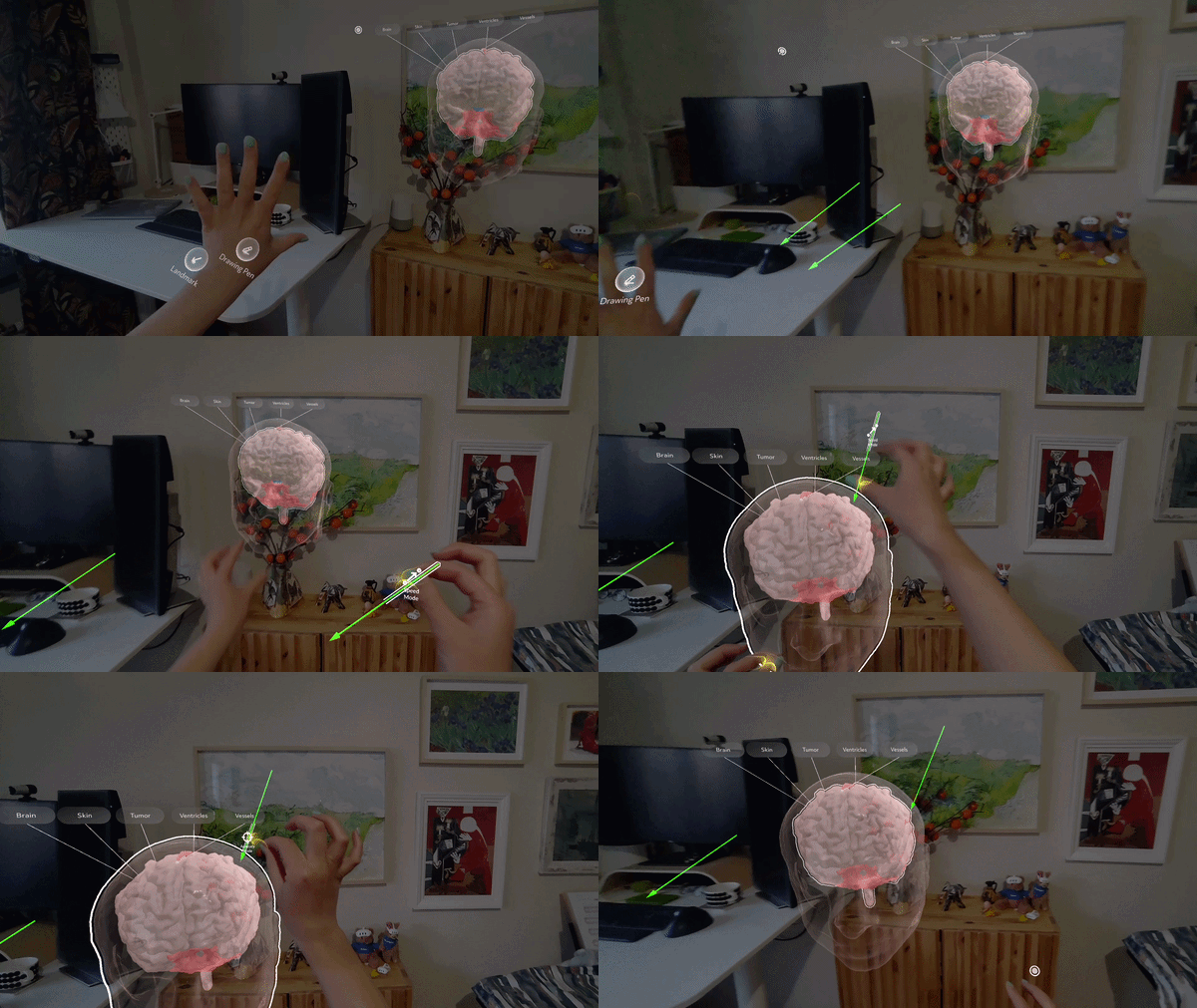
This is my graduation internship with Augmedit (The Netherlands) ("the client") as part of XR Creative Developer education program at Hyper Island (Sweden).
I was tasked to re-design, develop, and evaluate on Snap Spectacles smart glasses some of the existing features of a medical AR app that assists surgeons in planning brain surgeries and is currently available on Microsoft Hololens. The client wanted to evaluate the hardware suitability of Spectacles for their use case through my interaction design and development.
It was also my first time working with Spectacles (how fun! 🤩), a new hardware platform for AR that will be available for public access in later 2026.
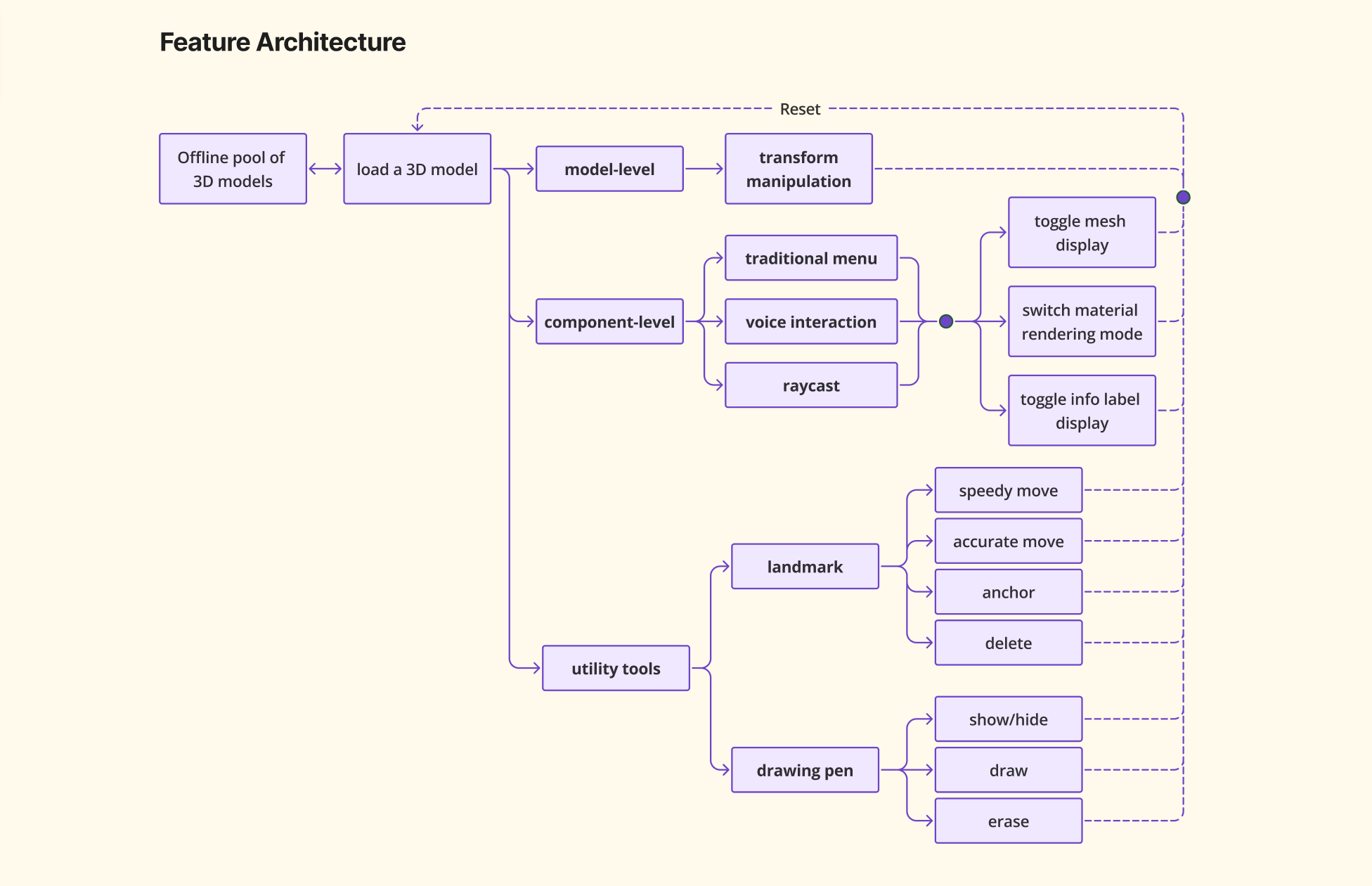
By the client's requirements, my prototype should enable users to:
In order to summarise all required features together and to visualise the dependencies between them, I first drew a feature architecture chart ✨:
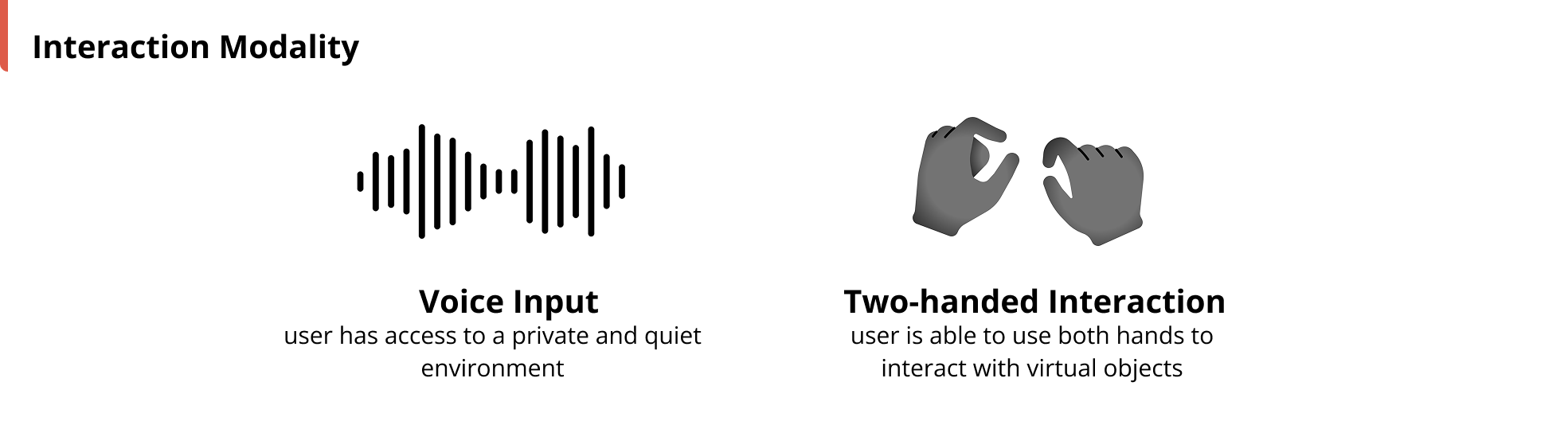
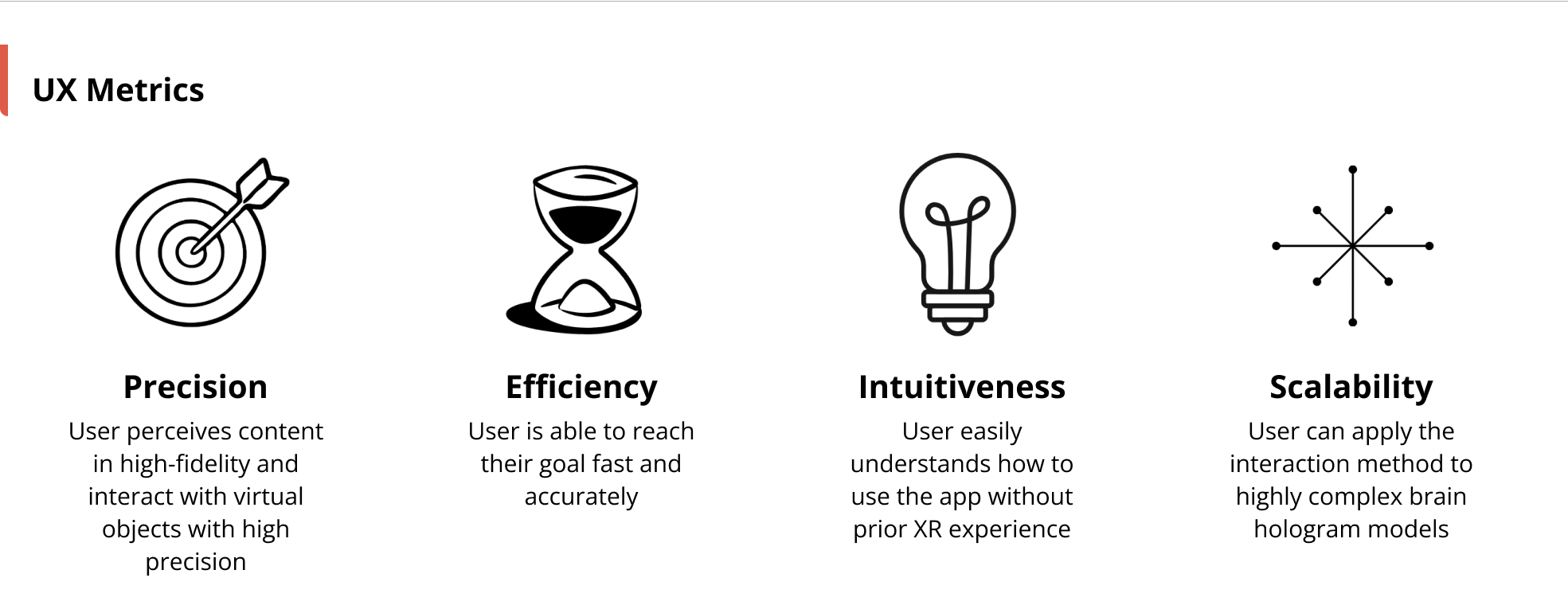
Then to design fitting interactions, I defined and aligned with the client WHO uses the app, WHERE they use it, and WHY they use it:
Finally, I translated these definitions into design space and UX metrics, taken Snap Spectacles' hardware capabilities into consideration 🤔
Now let's zoom in to some of the design highlights 👀!
There are many small components nested in a brain hologram model, and selecting desired component(s) is a prerequisite for component-level interactions (e.g., show/hide, turn on/off labels, make them look see-through/opaque).
I designed and prototyped three interaction paradigms for component-selection: 1) Voice, 2) Raycast, and 3) Traditional Menu.
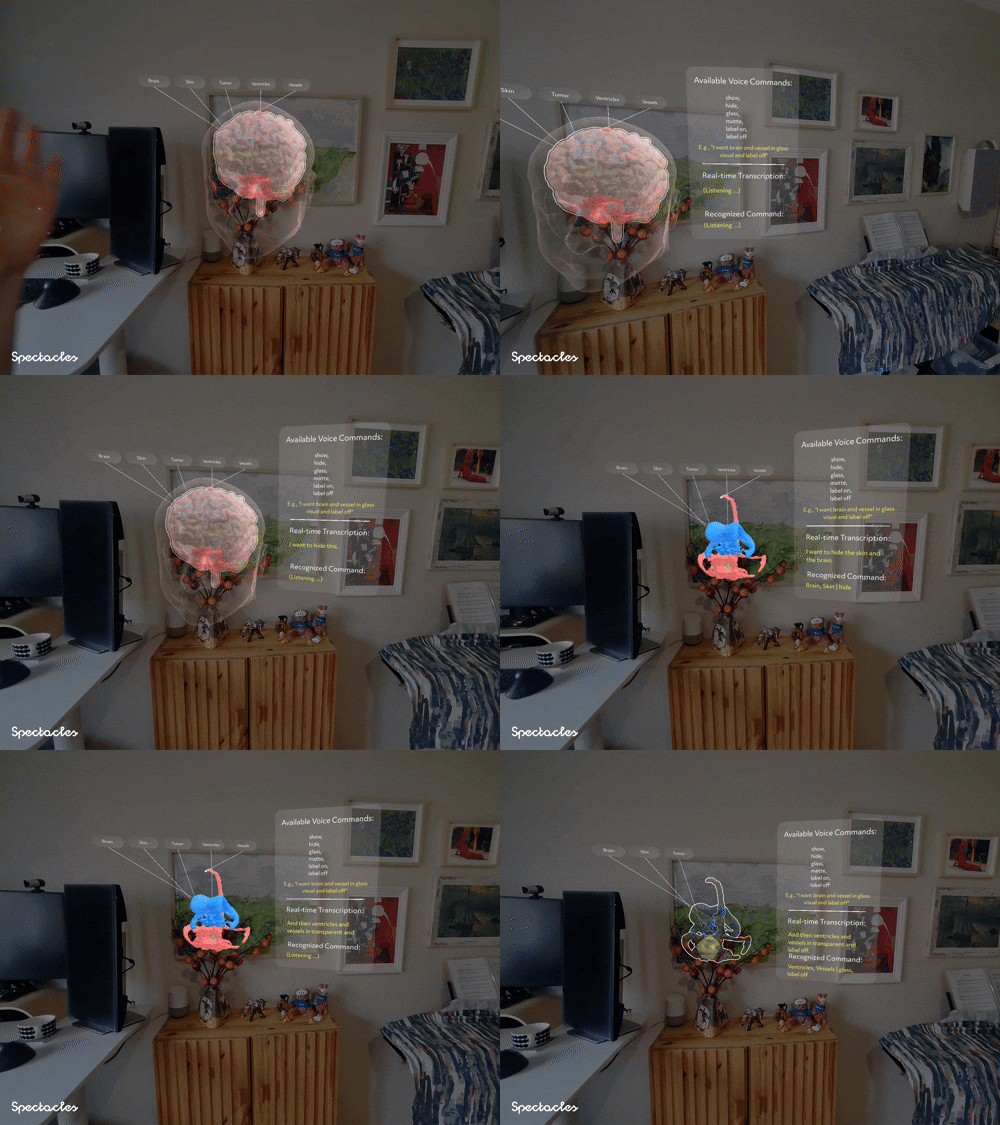
I used Spectacles’ built-in ASR module and wrote custom logics, translating user speech to interaction commands.
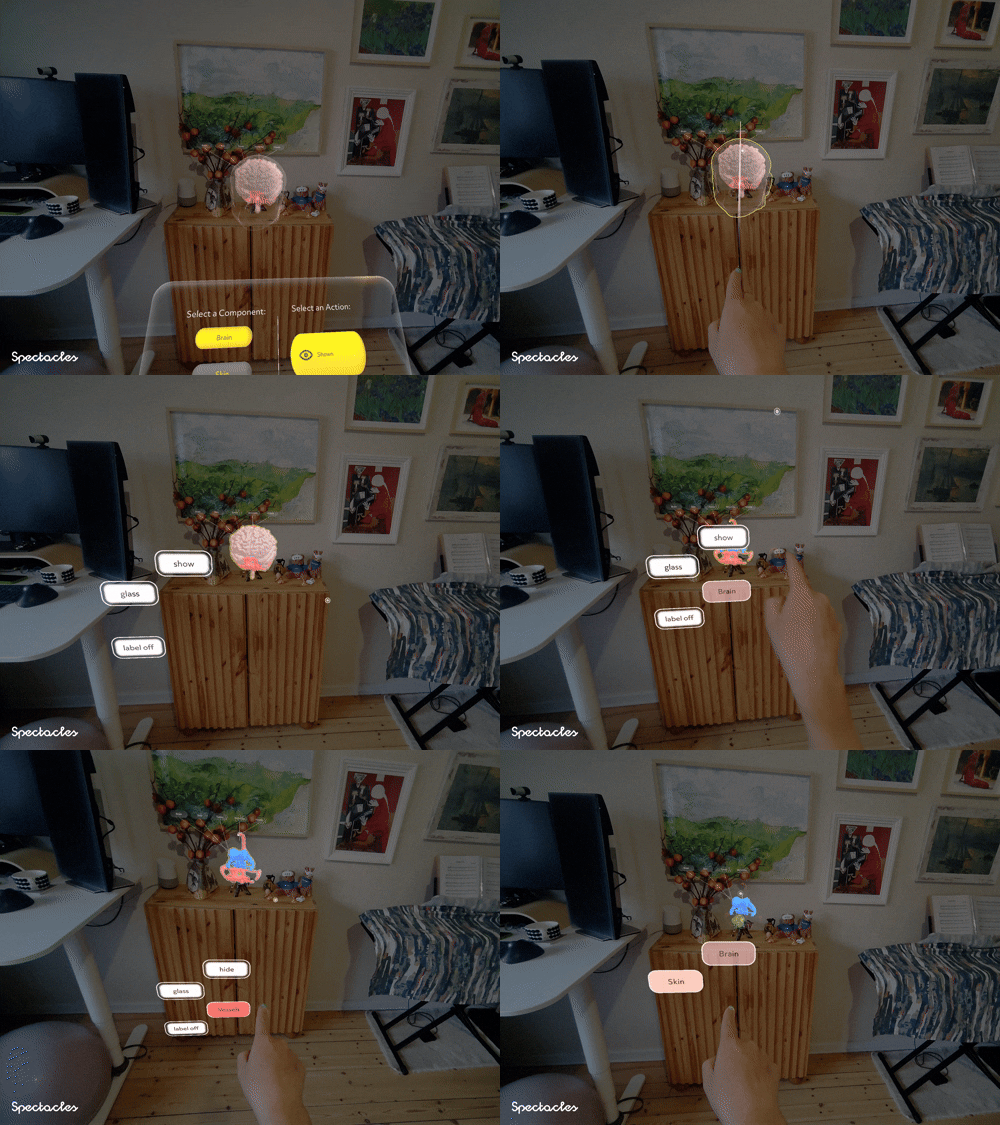
Inspired by Blender/Maya-like contextual menu, I prototyped from scratch a donut-shaped menu that appears around user's index finger tip after wrist-finger raycast dwelling.
I also added raycast line visual feedback and colour-coded menu buttons for quicker visual search.
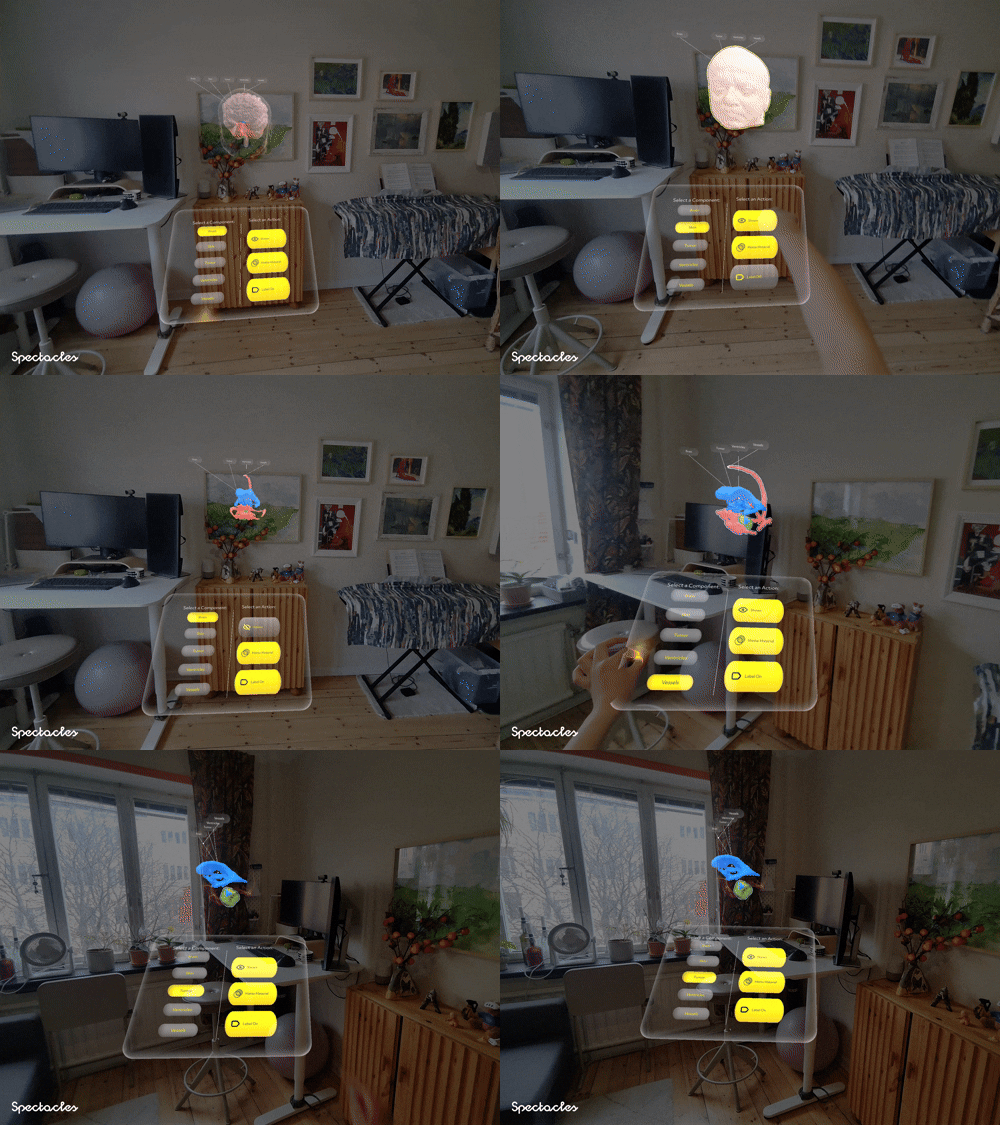
Our “old friend” - flat UI panel - served as a usability benchmark.
I conducted remote user tests with the help of my supervisor and medical experts in the product team, video-recorded their in-app behaviours and asked them to share their thoughts and feedback in a post-test survey.
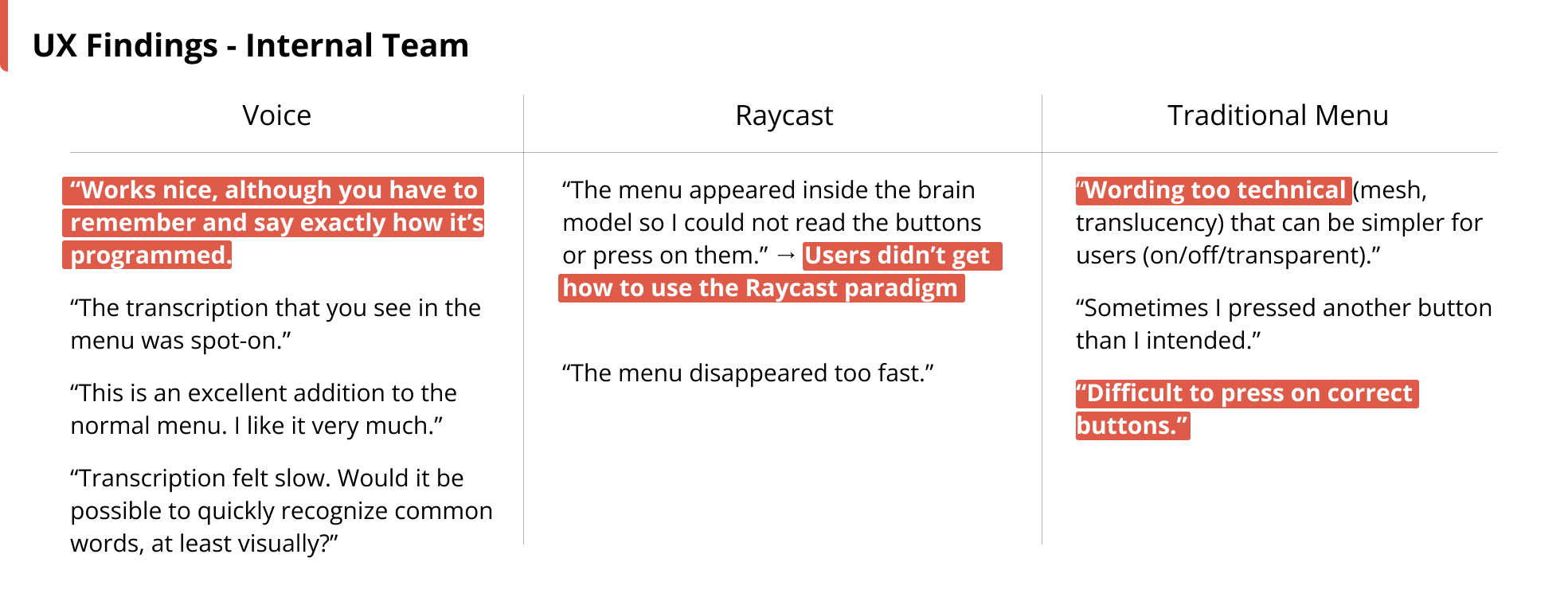
I iterated my design and prototype based on user test results. Examples of improvements include:
In the existing production app on HoloLens, there is a Landmark tool to precisely anchor a pointer onto brain surface, and a Pen tool to draw (and erase) surgical paths on brain surface. So by the given functionalities, I redesigned and prototyped the interaction of the tools:
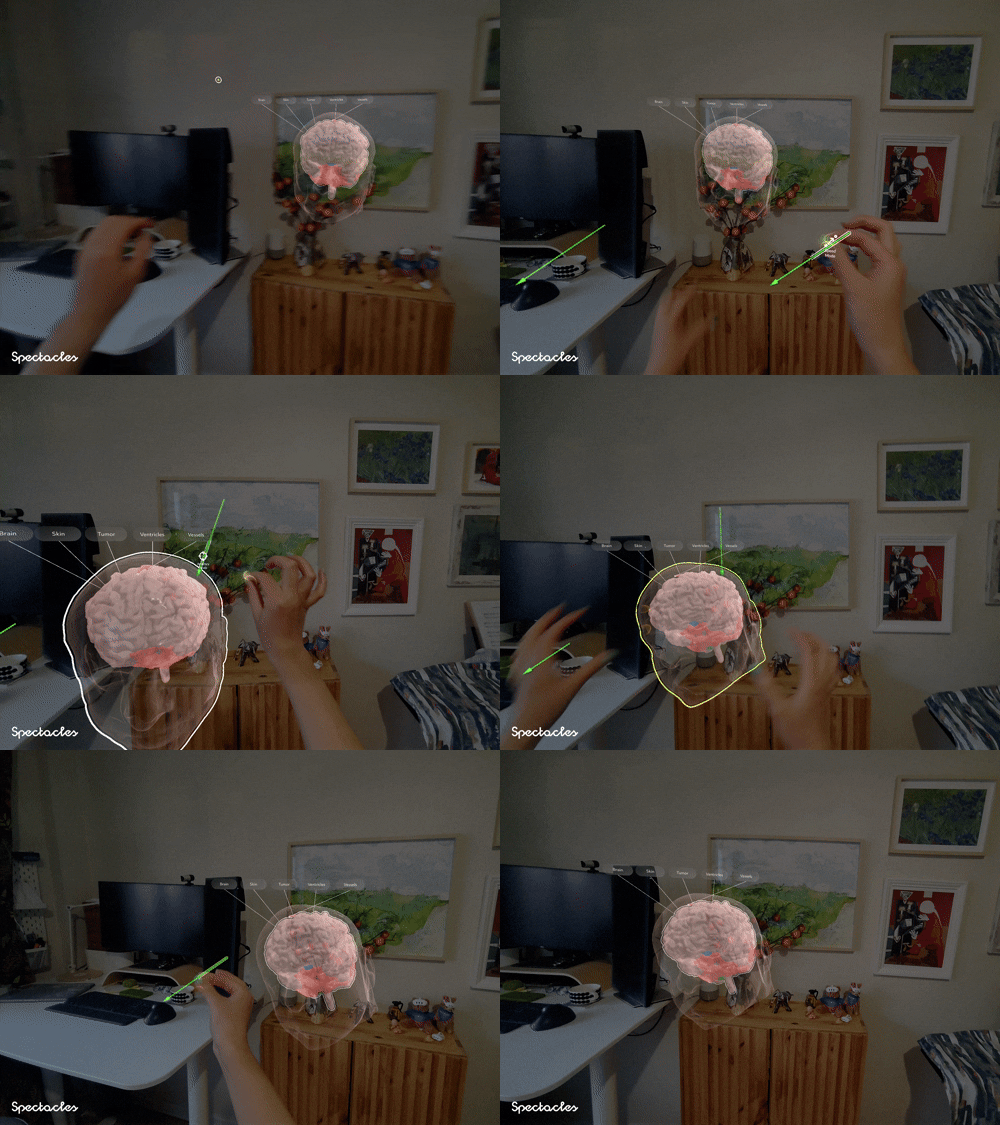
I played around with its form factor. By the metaphor of a lever, I designed the landmark’s top part/lever’s further end as the control of “speedy movement” mode, and the landmark’s lower part/lever’s closer end as the “accurate movement” mode.
I also borrowed the "throw-to-delete" idea from ShapesXR.
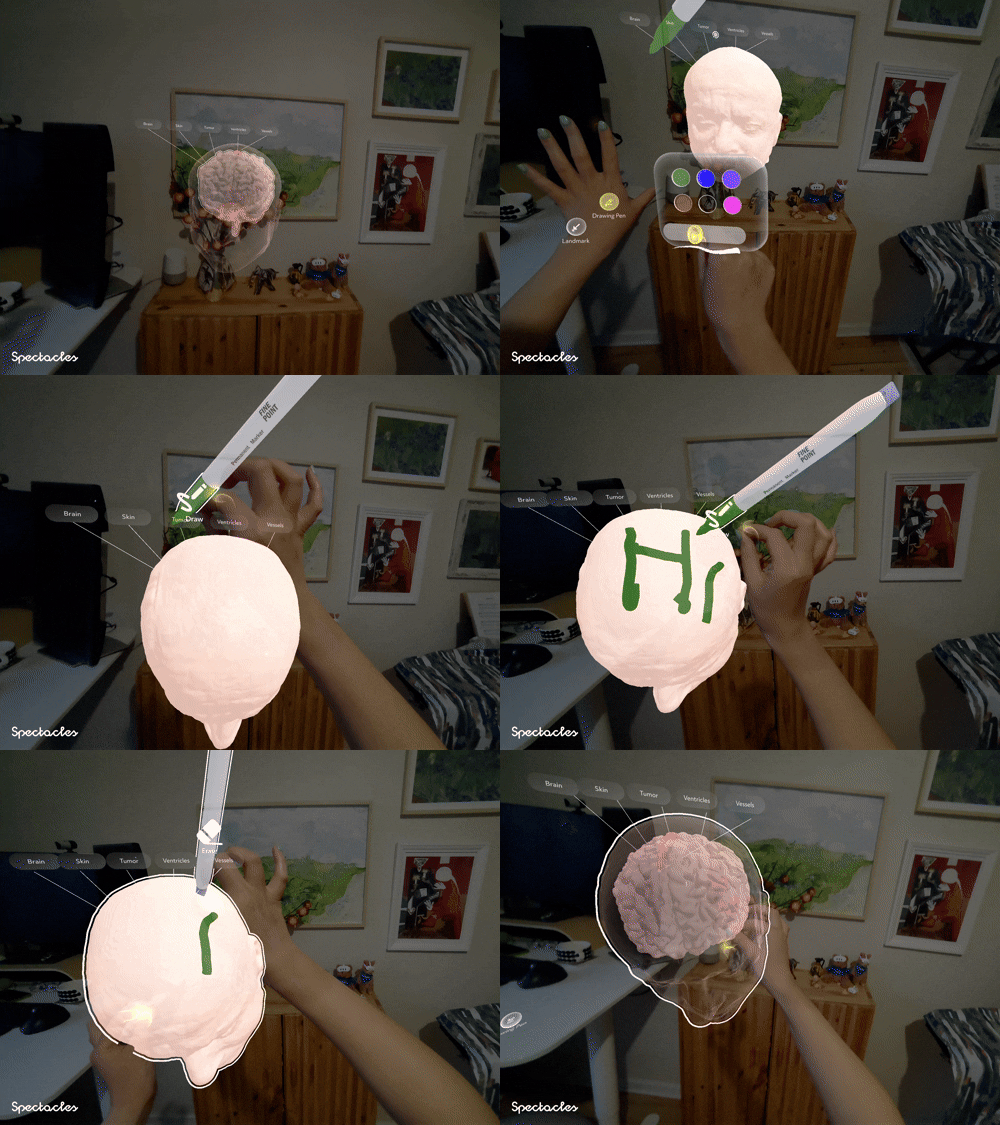
Similar to the two-part design of the landmark, I made that grabbing pen’s lower part to draw, and upper part (then the pen is auto-flipped) to erase.
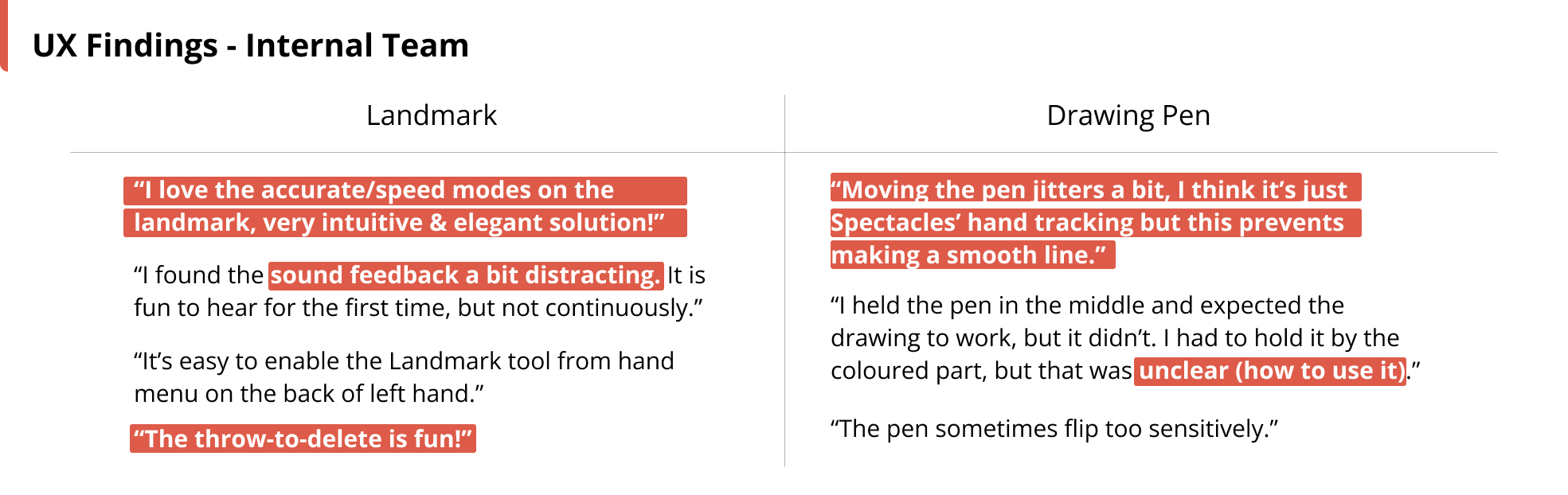
Sooo, I iterated my design and prototype again:
Time to throw in some development bits! I programmed the prototype using Lens Studio and TypeScript. With SceneManager singleton, I separated the responsibility of UI view controllers from the hologram data models for better maintainability and scalability.
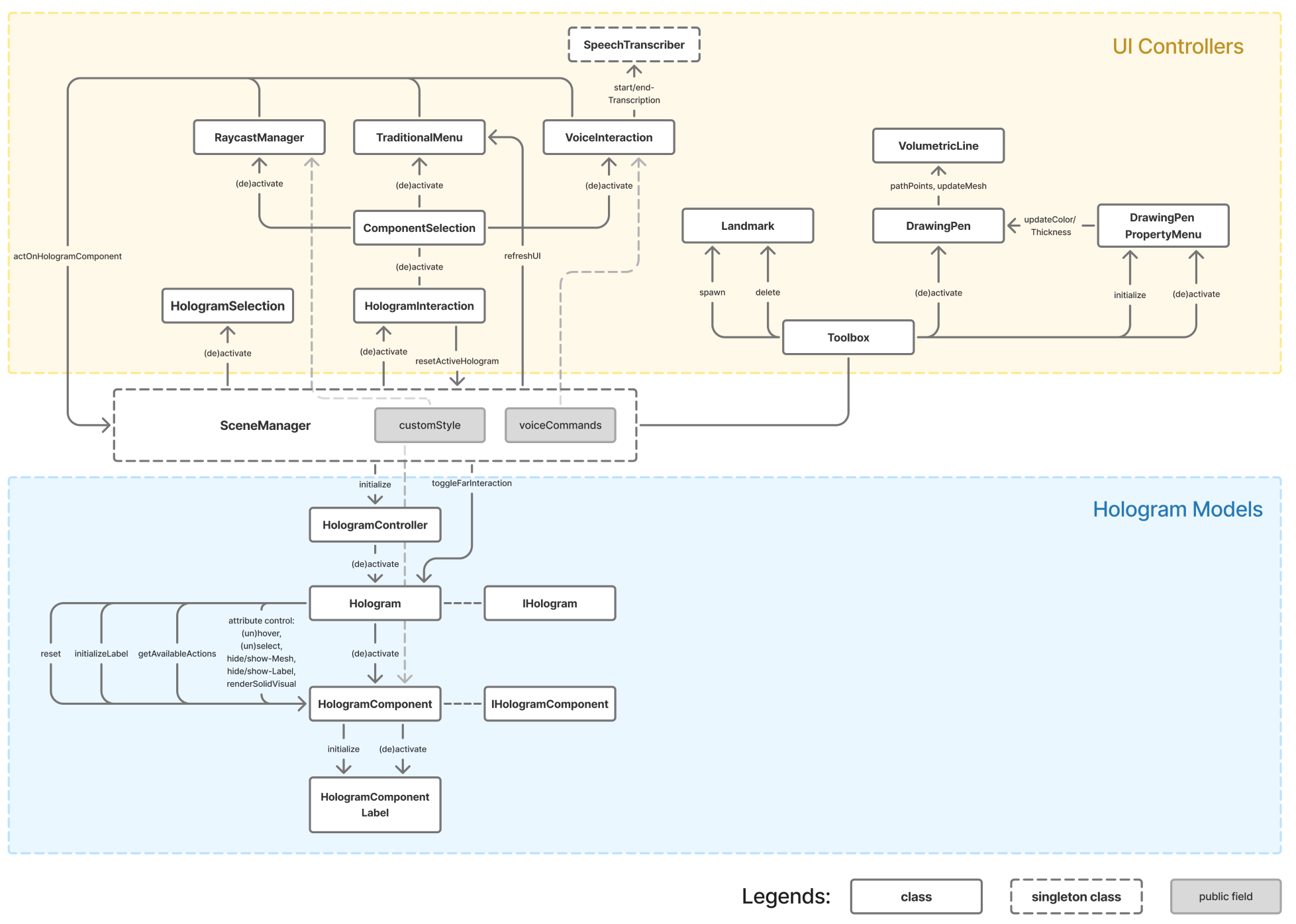
Putting everything together 🎉!
Last (oh yeah there's more! 🤯😏), I have some further thoughts from HCI perspective to share for general interaction design on smart glasses.
First, I believe raycasting will become increasingly vital for interacting with remote objects or our environment in future on-the-go scenarios (Ubiquitous Computing).
So I illustrate below my intuition of mapping subtle wrist movement to far-field raycasting.
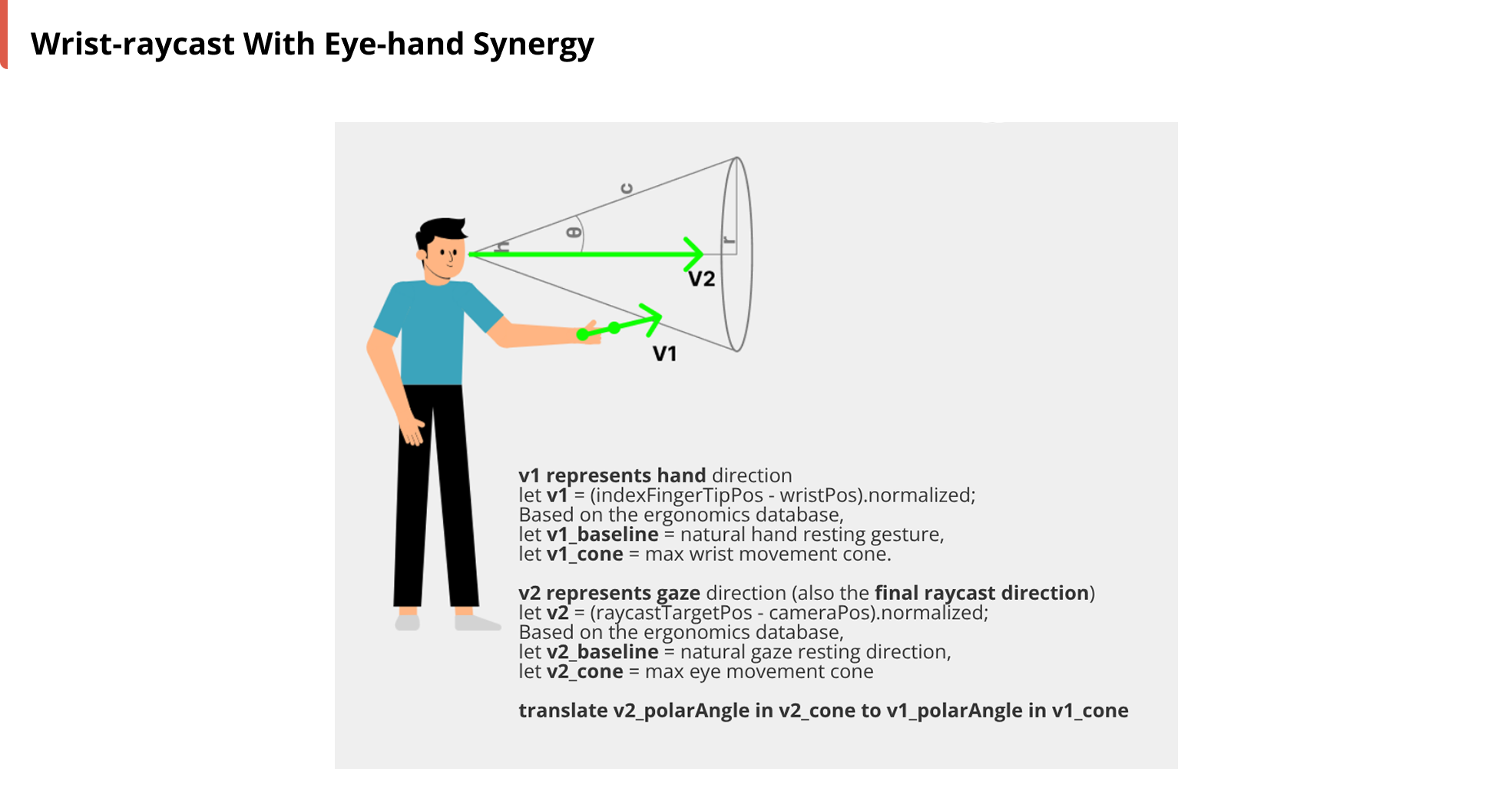
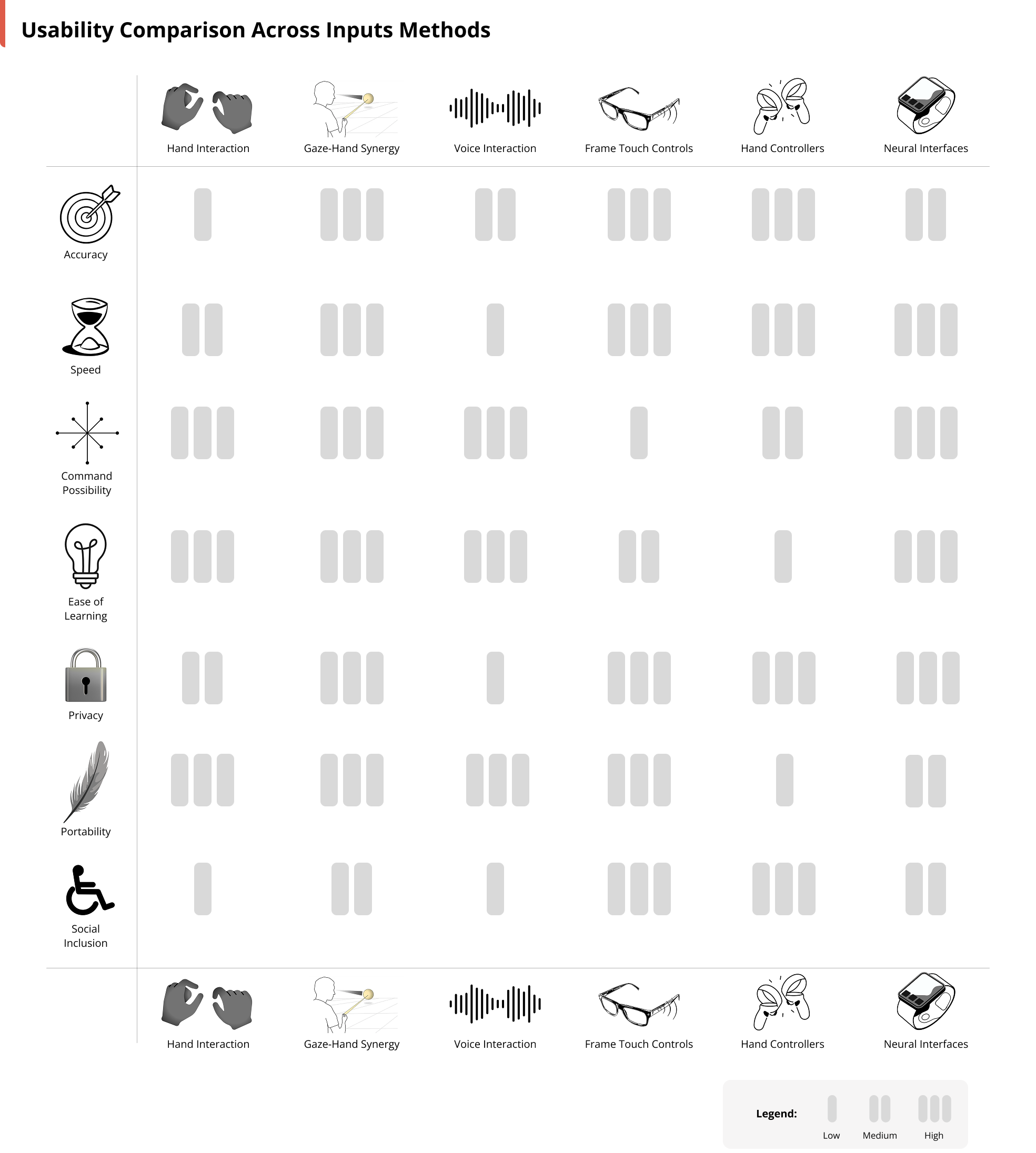
And then if we zoom out and look at general input methods for smart glasses, I compare them from different usability angles below. I believe there's no absolute best or worst, but rather the most suitable input method based on target user needs and scenarios.
Work presented by me independently | Nov. 2025 - Mar. 2026
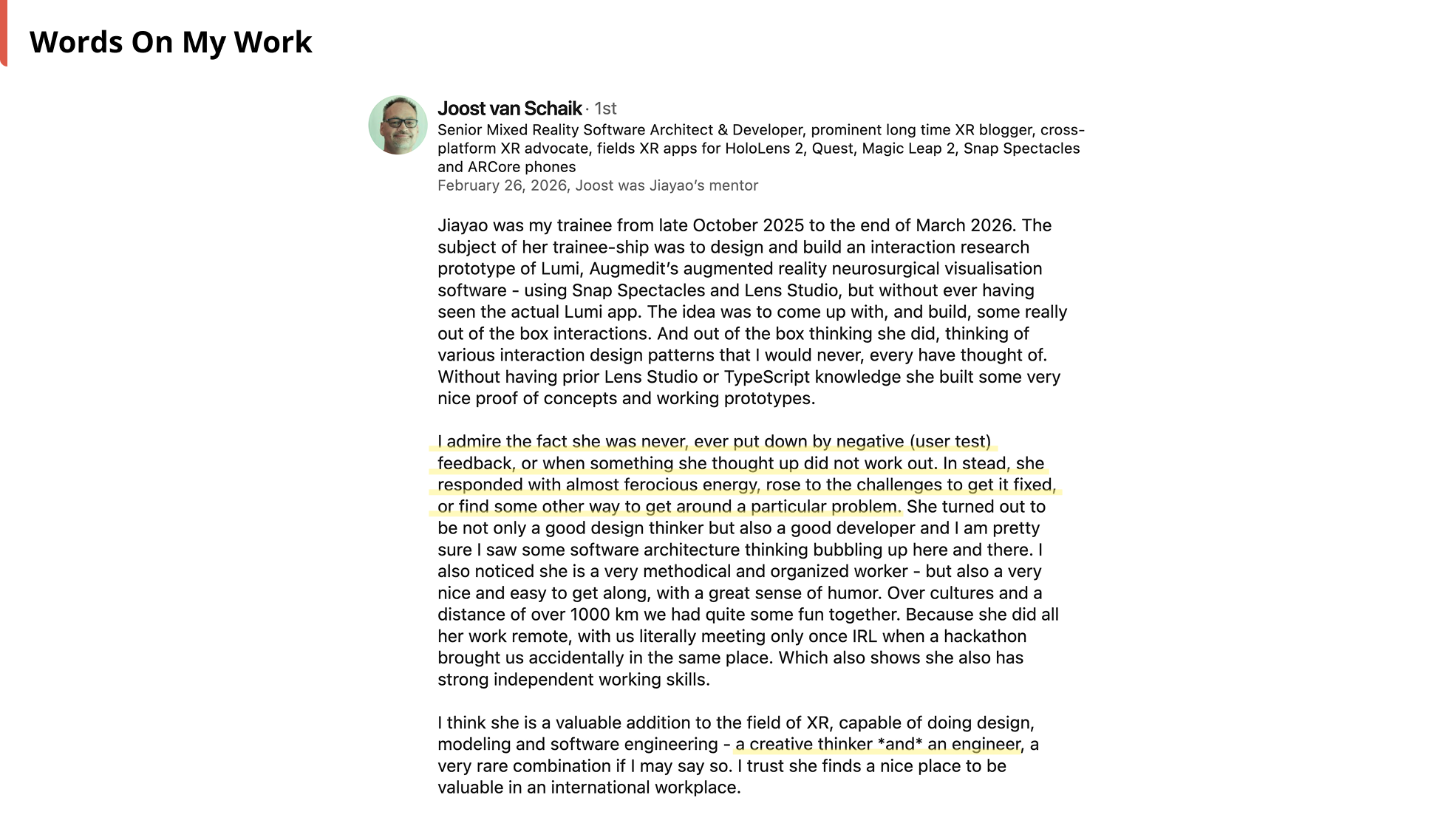
Project supervised by Joost van Schaik and Sophie Chen, with the help of
Jene Meulstee, Tom Mensink, Cǎlin Balmez, Lucy Knöps, and many others in Augmedit team 🫶.
Design used Figma.
Development used Lens Studio, TypeScript, and Git.
Deployed on Snap Spectacles smart glasses.
This page represents my personal insights, independent of Augmedit's official views.